Overview
A common use case for clients is using group suppression using a number of fields. There are scenarios where the fields must suppress in multiple directions left and right and vertically too. Here we outline a simple scenario using 2 Text variables and 2 label fields.
Setup you InDesign document
Create your Label fields T and M and add in your variable fields Telephone and Mobile (adding variables)
Create 3 groups in InDesign by selecting multiple fields and ctrl and selecting 'group'
Group 1 T label and Telephone variable
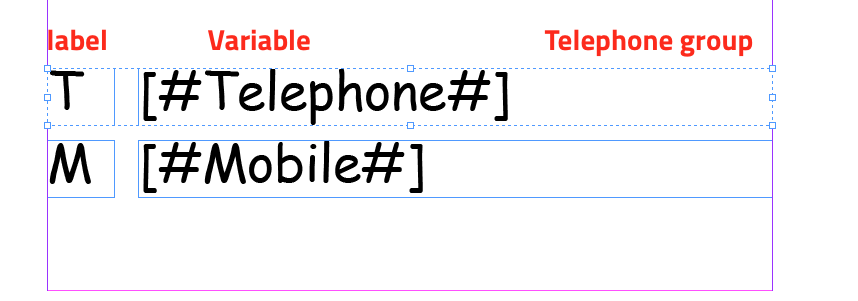
Group 2 M label and Mobile variable
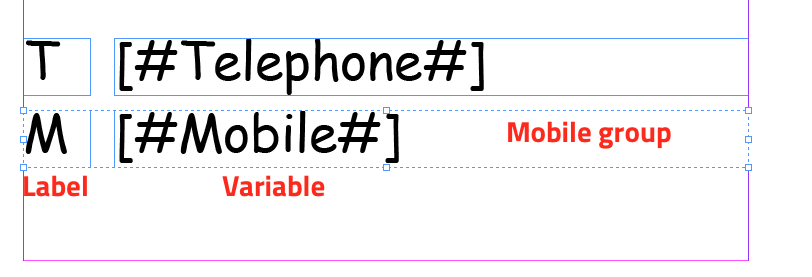
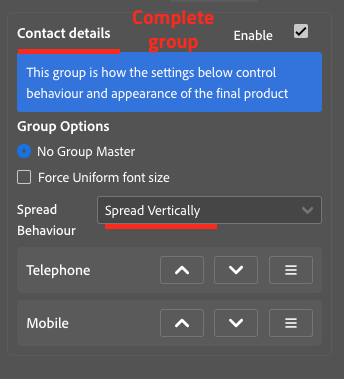
Group 3 Master group containing all of those fields
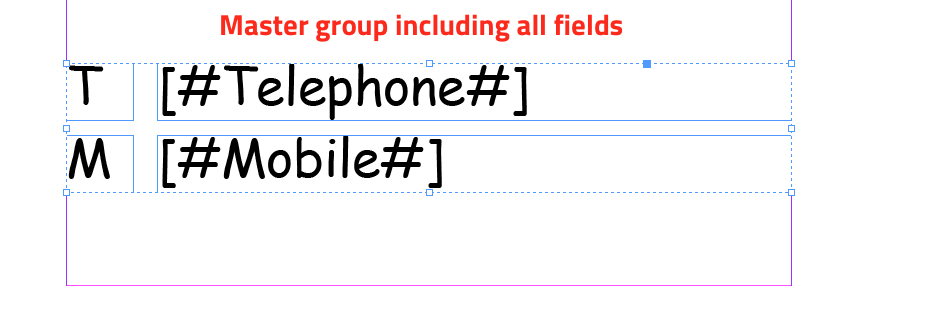
Rename each field using the layers panel (on the menu bar Windows > Layers [F7]) - save updates (easier to distinguish in the group list)
Select Group 1 - Set this as spread behaviour horizontal - and make the Telephone variable field the Master
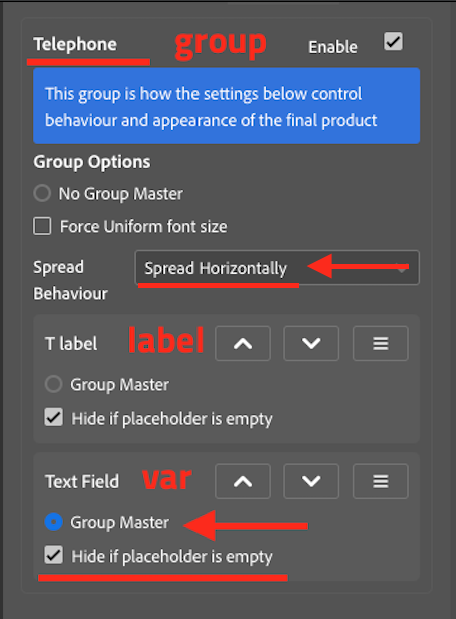
Select G2 - Set this as spread behaviour horizontal - and make the Mobile variable field the Master
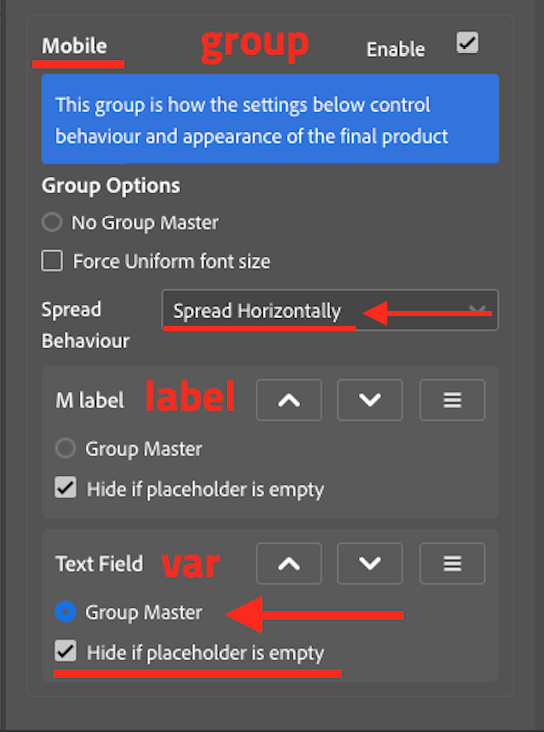
Select Group 3 - Set the master group as spread behaviour 'Vertical'
Export Document from INDesign
Import into infigo
You should now see horizontal suppression between Mobile and M label when it is empty and vertical suppression when Telephone field is not used.

1 Comments